Reseller Management
Reseller accounts get scoped package, account, and limit controls in PCAdmin without root visibility or access to other resellers

PanelConfig is built for real hosting operations, with the security and audit trail serious hosting depends on one clean platform built for real providers
bash <(curl -sSL https://install.panelconfig.com/latest.sh)
One installation gives operators, customers, and automation the right surface while keeping records, jobs, and audit history tied together
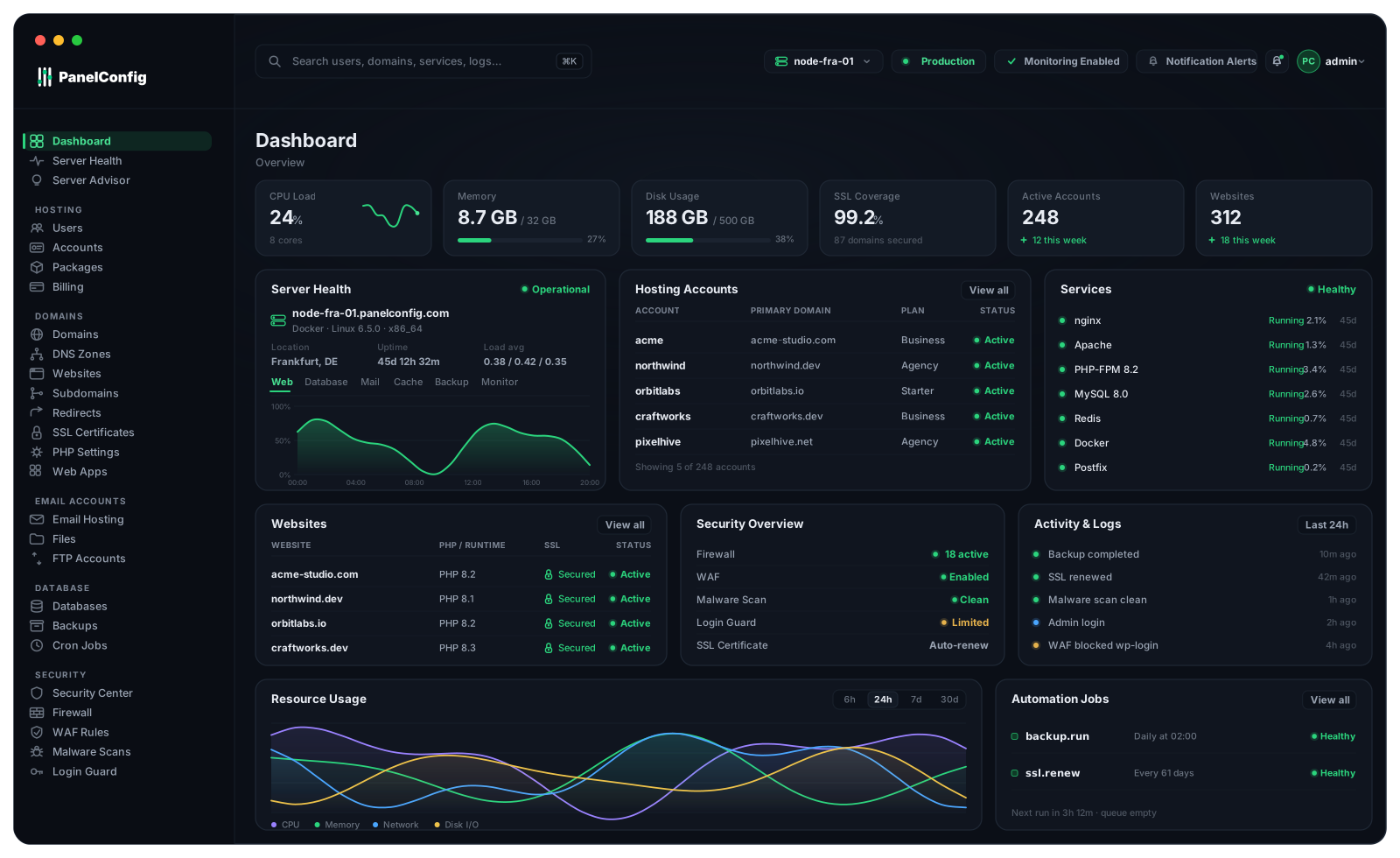
Run provider operations from the admin side, including users, accounts, packages, domains, services, integrations, security controls, and audit history
Demo PCAdmin| Rule | Action | State |
|---|---|---|
| SSH from office range | allow | active |
| Block 203.0.113.40 | deny | active |
| WAF: upload guard | block | active |
Give customers a focused panel for websites, domains, DNS, email, databases, SSL, files, FTP, backups, logs, PHP settings, and scheduled tasks
Demo PCUserA @ 203.0.113.10
MX 10 mail acme-studio.com
TXT @ v=spf1 mx ~all
acme-studio.com
Issuer: Let's Encrypt
Renews in 61 days
hello@ · 1.2 / 5 GB
team@ · 3.8 / 5 GB
acme_shop · 412 MB
acme_blog · 96 MB
Use the command line for repeatable operations while keeping changes tied to the same records, jobs, and audit trail as the panels
Read CLI Documentationvhosts, PHP versions, and per-site settings
Addon domains, subdomains, redirects
A, AAAA, CNAME, MX, TXT, and SRV records
Mailboxes, aliases, forwarders, quotas
MySQL/MariaDB databases and users
ACME issuance and tracked renewals
Files manage with safe path containment
Scoped FTP accounts per hosting account
Scheduled and on-demand with restores
Schedules with run history
Firewall, WAF, IP blocks, malware scans
Disk, inode, and bandwidth tracking
Reseller accounts get scoped package, account, and limit controls in PCAdmin without root visibility or access to other resellers
Prepared for provider tools around the panel, including billing systems, DNS providers, backup platforms, security tools, app installers, and automation
CSRF protection, prepared statements, rate-limited logins, command allowlists, and append-only audit logs work together without becoming the whole message
A focused PHP core with no heavy framework keeps modest servers responsive and the codebase easier to review
PCCLI and the scoped REST API write the same records as the panels, so scripted work remains visible in the audit trail
Server metrics and per-account snapshots put CPU, RAM, disk, inode, and bandwidth pressure on the dashboard before it turns into a ticket
Versioned releases, a published changelog, release audits, and an installer lock reduce the risk of accidental damage
Administrative actions are recorded with actor, action, result, and timestamp so providers can answer what changed
Use PCAdmin, PCUser, PCCLI, or the API without splitting the operational record behind each action
| Capability | PCAdmin | PCUser | PCCLI | API |
|---|---|---|---|---|
| Users, roles, and resellers | - | |||
| Hosting accounts and packages | - | |||
| Domains, subdomains, redirects | ||||
| DNS zones and records | ||||
| Websites and PHP versions | ||||
| File manager and FTP accounts | - | - | ||
| MySQL databases and users | ||||
| Email accounts, aliases, forwarders | ||||
| SSL orders, certificates, renewals | ||||
| Backups, schedules, restores | ||||
| Cron jobs | ||||
| Firewall, WAF, IP blocking | - | - | ||
| Malware scan records | - | - | ||
| Resource usage and metrics | ||||
| Audit logs and login history | ||||
| Plans, subscriptions, invoices | - | - | ||
| Branding and notifications | - | - | - | |
| API tokens and scopes | - |
# Create a hosting accountpc accounts:create --user jane@example.com --package starter --domain example.com# Suspend an account with a reasonpc accounts:suspend example_user --reason "Overdue invoice"# Issue an SSL certificatepc ssl:issue example.com# Run an account backup nowpc backups:run example_user# Review service statepc services:list# Check platform healthpc healthPoint a hostname at a fresh Linux-based server and run the installer, your first login becomes the owner account
bash <(curl -sSL https://install.panelconfig.com/latest.sh)